For better or worse, I have my niche in the family.
An old colleague of mine once said, regarding task assignments around the office, “Be careful what you touch — it might stick.”
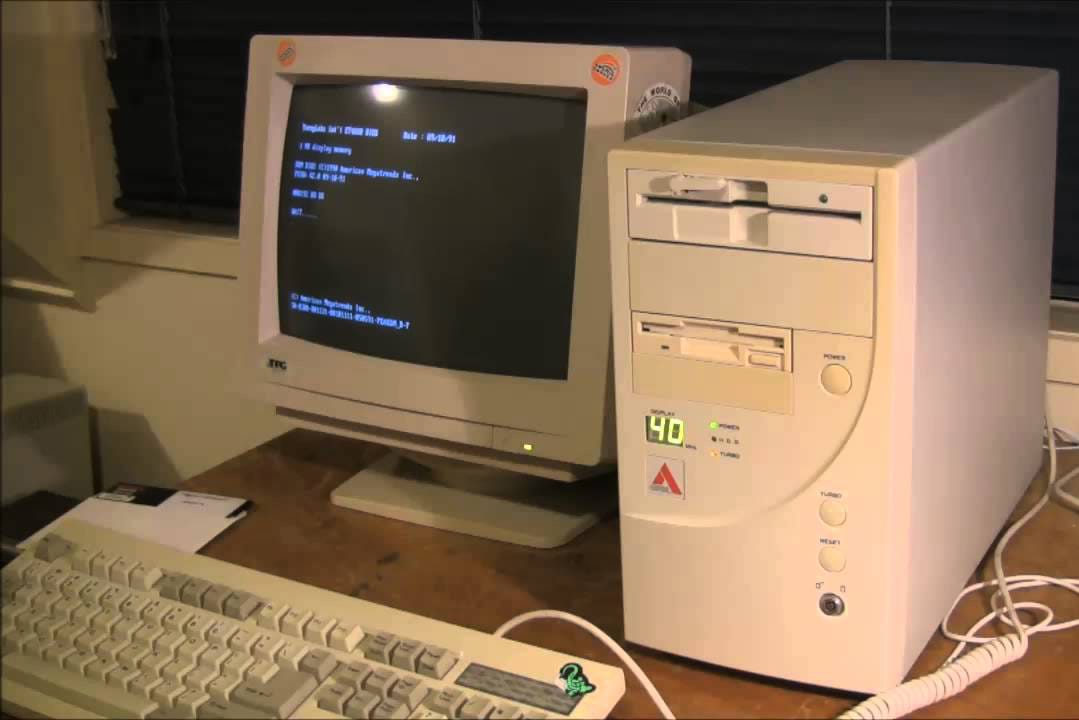
So between, oh, 1991-1994, I did PC tech support for my employer. In the years following — say to about 2001, I was a manager of local office IT, so I still got involved (far more than I ever wanted, at times) with hands-on PC work: cracking cases, upgrading hardware, installing OSs and other software, dealing with networking and server stuff — nothing with a certificate or degree or classwork, just doing stuff and asking dumb questions and learning how to look information up.
Yeah, baby. That’s what I’m talking about.
After that, my career moved off into application development and support and project management, so my employers suggested that if I needed something done with my work computer — I let their IT people do it. Fine by me!
Fast Forward a quarter-century, in an era when PC technology and networking hardware are light years beyond what they were way back when … and I am still the local tech support here in our home, with my Mom, and with my Mother-in-Law. Need a software upgrade? Time to replace that old computer? Printer’s making funny noises? Mobile phone acting up? Trying to get Windows to stop doing that annoying thing? I am, apparently, your man.
Which, I guess, is fine — my brother-in-law is a critical care pulmonologist and researcher, and he still gets medical questions from the family (and very few of those have to do with the lungs). So I understand the mutuality dynamic.
Still, it’s kind of weird to me, less that I get asked, but that I still can do these things and have never made anything blow up or burst into flames or lose all its data. (Having a belt-and-suspenders approach to data security is part of it Knowing how to look up and read technical info is another.)
Case in point — a few weeks back I got a notification from NetGear that my Nighthawk cable modem / router was reaching end of support. When I looked it up, it was, wow, that old?
In the meantime, my wife was complaining about how crappy the network connectivity upstairs in her office was.
And in researching into things, I discovered that Xfinity actually had a wider pipeline to us now than our current cable modem could handle.
Which sent me into a wave of research and articles and what’s (not quite any more) state of the art for these things. And I pretty quickly determined that (a) I wanted to get a mesh WiFi system in, and so (b) I had to break out the cable modem / wireless router functionality from being in the same box.
Last weekend, I installed a new mesh system, using TP-Link Deco BE10000 equipment. I ran it as a test WiFi network for a week to make sure the coverage and throughput was good.
Ooooh. Shiny.
Today, I turned off the WiFi on the old router (which is still functioning as a cable modem) and reset the SSI and password on the TP-Link to match what we had had before (one difference being that the 2.4 and 5.8 used to have different SSIs). I then spent about an hour rebooting the home equipment that didn’t automagically connect to the new setup.
And it was all a success. Huzzah!
Next step will be getting a replacement router — one that Xfinity will recognize, and that will take advantage of our current bandwidth. That’ll be another weekend install, probably also rejiggering how it all fits in the corner cabinet where the network and A/V boxen reside. But once that’s in place, we’ll be fairly up to date with all this stuff and I can stop thinking about it for a few years.
I’m not going through all this to brag (believe me, I am still in the asking-stupid-questions of friends about a lot of this newer stuff). It’s just interesting to me that something that has seen so many technical advances (the whole “microcomputer” biz) over my professional lifetime still operates on basic principles I can recognize and use. I have no problem throwing money at problems that I don’t think I can handle, but it’s kind of gratifying that there are enough things I don’t need to hire a technician for that I don’t have to feel overwhelmed by the March of Progress.
I am sure I will (in all too few years) be the guy calling his grandson complaining about how there’s this light blinking on the black box doohickey — no, the one with the picture of a spider on the front — well, it looks like a spider to me — well, it’s been blinking red, and I think our Internet is slower, but the Netflix / WB / Xfinity guy on the phone said I’d have to pay to have someone come out, and if you have some free time this weekend, could you …? Yeah, that guy.
Until then? Well, good to know I still have it. Well, most of it.
Being without a mobile phone for a week-plus sucks
So every year or so I see an eyerolling article on “I lived for a week without Google” or “I got rid of my Gameboy” or “I turned off my mobile phone and here’s how my life changed.”
Having been without a mobile phone for 9 days, I can tell you … it sucked.
(And, since I have a blog, I can kvetch about it at length. Feel free to ignore it.)
* * *
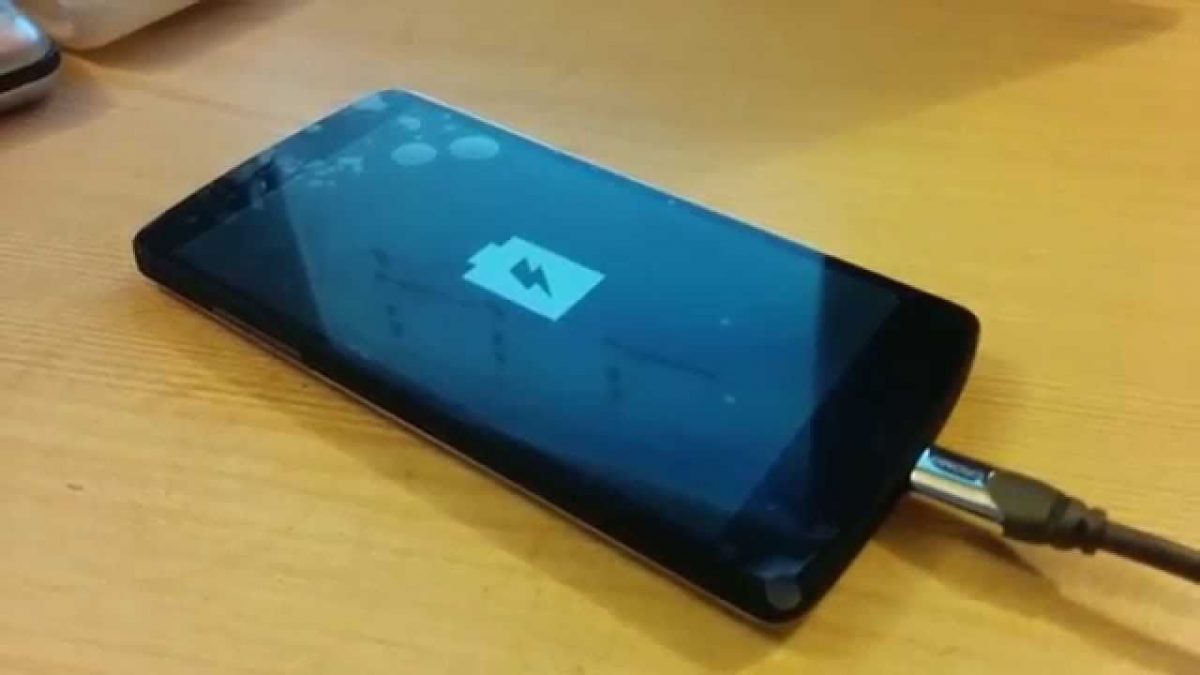
On Sunday the 9th, I found my phone — a Pixel 1 — was dead. Press a button, get a battery-and-lightning-bolt icon for a few moments. Plug it in, get the logo full-time, but no sign of charging.
Dammit.
Not my Pixel, but you get the idea
It took me a few days to go through all the diagnostics I could on my own. As it seemed to be a power problem, a lot of the recommendations for diagnosis and/or correction had to do with letting things fully discharge, letting things fully recharge (leave it on the charger for some hours), trying something, and, if that fails, try a full (dis)charge again.
By Tuesday, I had tried what I could, had scoured the Google for things to try, and starting to run into real problems with having a dead phone. So Tuesday night, I took it down to the local UBreakIFix where I had gotten a new battery installed back in May (which had been wonderful). The guy there assured me he could take a look at it that evening and have some answers.
Fast forward a couple of days, and multiple calls to the shop to get a status (which was mostly prefaced with “Oh, I was just working on it, I need to do this one more thing”). By Thursday evening, they had given up hope and said the only thing left was a motherboard problem.
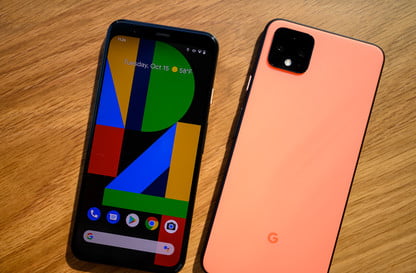
Now … I’ve had this phone some years (a 1st Gen Pixel, as I noted, which was introed in 2016, which is like forever ago in phone years). So I wasn’t completely outraged that it had given up the ghost with some mysterious ailment. And I’d done some research in the meantime, and decided I wanted to continue on with a Pixel 4.
The one I (eventually) got was black, not orange
(Yes, I’ve read about the problems with the Pixel 4, most of which have to do with battery life. I’ve also read some post-release review saying, hey, y’know, if you’re not running movies and playing chip-burning games 24×7, the battery life is actually perfectly reasonable. Which, since I’m not in that heavy use category, sounded good to me.)
So Thursday evening we picked up my brick, and went over to the Verizon store. We get good discounts through Margie’s employer (who has been working with Verizon so long the company agreement number is a preposterously low value compared to where they are now).
I wanted a Pixel 4XL. And I wanted the 128Gb version.
Oooh, sorry, we are all out of 128s in the 4 and the 4XL. But we can order it and have it shipped to you.
I have been without a mobile for five days, with various dire results. Okay, fine.
Okay, that will be 3-5 business days.
Dammit.
Or, for $13, you can get it delivered at home tomorrow night by 8pm.
Sold.
Until the next day, when we hadn’t gotten any shipping info on the phone (just a receipt for the bill). And, when I contacted Verizon, I was told the order went in too late on Thursday evening, so it would be another business day.
Monday, by 8pm.
Dammit.
I did get them to reverse the damned $13, so that was … mildly less infuriating.
Monday rolls around. FedEx notes it will be delivered by 8pm, but has no more details. Oh, wait, maybe I can get more details, but I have to create a FedEx account which …
… gets validated by a code texted to my mobile. Which I don’t have.
Margie has to take Mom off to the doctor on Monday morning, but, hey, phone is due that night, right?
Well, apparently FedEx believes that “by 8pm” also includes “or eight hours earlier than that,” as we get notification that they tried, really-truly they did, at 11:59 am, but nobody was there.
Dammit.
So I can either accept delivery “by 8pm” on Tuesday (someone stay home and don’t even dare go to the bathroom, by gad!), or go by the FedEx facility after 6:15pm, but no later than 7pm when they close.
Well, it’s been a long day for me, and a longer one for Margie, but we tromp to FedEx because, dammit, I want my phone.
We’re delayed a few minutes in dealing with the fact that the email FedEx sent us with the address of the facility, when the address is clicked, points to (in retrospect) the geographical center of the city it belongs to (complete with turn-by-turn directions), rather than, as Google kept trying to tell us, a facility over near the airport.
Fortunately, we listened to Google, otherwise there would have been violence.
As there almost was when we showed up at 6:30pm at the FedEx facility, and were told by the guy behind the counter that, oh, sorry, that truck isn’t back yet.
Don’t peeve off my wife on customer service matters. She gets frightening.
The guy behind the counter quickly scrambled off into the warehouse and, lo and behold!, the truck was there, it just hadn’t checked in yet. He returned with.
My Phone.
Which I got up and running over the course of the rest of the evening, despite some really annoying aspects to Googles two-factor-authentication which almost kept me from doing the restore because it really, truly, certainly wanted me to confirm my identity logging into the phone by sending a text … to the phone … which it wouldn’t accept … because I wasn’t logged in.
The one advantage to the delays in getting the phone was that it meant the accessories (case, etc.) had plenty of time to arrive.
Anyway, I have my phone and, aside from weirdness on the company security side of things (which took up waaaaay too much of my time today), it is so nice to have my mobile back.
And, yes, this is a classic #FirstWorldProblem, but personally aggravating, regardless.
* * *
So, what were the problems of being without mobile phone?
Here were a few I noted:
All the security mavins recommend two-factor authentication for good security. I.e., not just a userid/password combo, but some physical thing you have that proves you are you, and not just some guy who stole a userid/password combo.
Most of these involved either some fancy code generator like Google Authenticator, or else, more simply, “We’re going to text you with a code, so plug the code into this screen to prove you are you.”
That’s all really awesome. Until the device that does all of that — the one you’ve installed an Authenticator on, or the one that has your pre-entered mobile number as the thing to text to — is kaput. Then all that happens is that you can’t get to the Authenticator, and you can’t receive texts …
… and various services who want to prove you are really you, can’t. So they declare you an electronic non-person.
This happened with some of my office application needs (where we use Okta authentication), but I also got picked up in a random check on reality by Twitter. Some applications allow for alternatives (“text you? call you? email you?”), but Twitter just have that one phone number it wants to text you at.
You can change that phone number, of course, but they need to text you to confirm it …
So that’s why I wasn’t on Twitter.
It’s also why I went radio silent on texting. Which is the main way I chat in passing with my Mom, but is also how some folk tried to reach me over those nine days.
Oh, yeah, no casual (or possibly life-saving) phone calls when not near a land line.
No Google Maps when driving places. No Audible books while driving places, either. The latter is annoying. The former is … weirdly 1980ish, and surprisingly disconcerting. Not just “I don’t know how to get there, how do I do it,” but even, “Well, I remember how to get there, but WTF is the traffic like and should I go this way or that?”
Okay, and, yes, a part of it was not being able to just look up stuff on the Internet, or check the news on the Internet, or take a photograph, or pull out data at will from my calendar or my contacts or my secure notes. This was annoying, but also made for weird times when it was, like, “Okay I am bored standing here waiting for the coffee to brew and what do I do aside from staring at the coffee as it brews?”Which is all the more awkward when there are five other people on the elevator, or huddled around the coffee machine, and all of them are on their phones.
None of this turned turned out to be horrible. No tales of being stuck in the wilderness or attacked by zombies without my mobile. No never-to-be-seen-again photos of my baby’s first steps lost because I didn’t have my mobile working.
But it was annoying, and cropped up as a further annoyance on an ongoing random basis. Way too many moments of, “Oh, let me grab my phone and–” cut short. Way too many “Oh, if we can’t text you a code for us to use to validate your authenticity, we are going to close your account and destroy your life” moments (or what felt like them).
Again, yes, I know, First World Problem.
It was illuminating the degree to which we (I, at least) are dependent on mobile phone access, without serious preparation to work around the inconveniences (e.g., when vacationing somewhere with extortionate roaming charges). There are probably some profound lessons there about reliance on technology, and how our tools shape us as much as we use them, and perhaps even a nostalgic call out to a simpler time.
I don’t know about that. I just know that being without a mobile phone for nine days really sucked.
The new Android operating system — currently in open Beta, but coming soon — makes some interesting user interface changes, as well as more use of AI to try to be more helpful in how individuals actually use their phones. I’ll be curious to see how both work out.
SwiftKey has been my Android keyboard of choice for some time now. I'm not particularly thrilled that MS is buying them, but that's more on general principles than the, um, paranoia I've seen in some of the comment threads.
At any rate, congratulations to the founders, and I hope your baby will be in reasonably good hands.
SwiftKey is joining Microsoft
We’re excited to announce an important milestone on SwiftKey’s journey. As of today, we have agreed to join the Microsoft family. Microsoft’s mission is to empower every person and every organization on the planet to achieve more. Our mission is to enhance interaction between people and technology. We think these are a perfect match, and we …
Margie has an 80Gb iPod, and we love it. It holds all our music. It plays all our music. It doesn't suck up bandwidth. It is what we need and want. And Apple doesn't do that any more.
Making a note of these services for the inevitable day when our iPod goes south.
I'm not an Apple user, so I have no direct skin in this game — aside from recent moves by Google (with "Material Design") that have generally (a) made things look prettier, but (b) introduced some of the design issues discussed to the Androidverse.
I think every user of Apple devices has known for a while that Apple software is becoming less and less usable. This article makes clear just how bad the problem is. I wonder if some start-up could get some traction in the market by emphasizing usability.
Not if your goal is to save energy, as the drain is beyond minimal.
Now, if you're worried that a plugged in charger is going to burst into flames in the middle of the night, set fire to the house, and kill you and your loved ones … well, that's a different research question.
Tested: Should You Unplug Chargers When You’re Not Using Them?
How much energy do your smartphone, laptop, and tablet chargers really use? Should you unplug them when you aren’t using them to save power and money? We measured exactly how much power a variety of common chargers use, and how much keeping them plugged in will cost your each year.
(By the way, "Okay, Google" answers the question just fine, routing over to Wikipedia and pulling up the appropriate page. The answer, as it happens, was Michael Jackson's "Billie Jean.")
Alas, both my phone (a 2013 Moto X) and my tablet (a Nexus 10) will not be getting the Marshmallow update to Android. Bummer. My phone's up for contract replacement in the New Year (assuming an adequate funding source, cough cough), but I've had no intention of changing out my tablet, as I love the form factor and 10" tablets are very few in number.
I do the majority of my browsing from a desktop, not a mobile device. I've been using AdBlock and its kin for eons, and I find it shocking on those occasions when I browse things where I don't have an ad blocker how slow and how cluttered the experience is.
That's true in spades on a mobile device, as the article describes. Alas, one significant drawback to the Android universe is that Google is not jiggy with ad blocking; the solutions I've all seen involve at least partial rooting of the device, which is not my cuppa.
But I will say that the slowness and uneven nature of web page loading with ads on my Android devices is one reason I don't brows all that much from them. When it takes a minute or two to load up a page fully, and I can't read the page because it keeps jumping back to the top as new in-stream ads are loaded, then I'm not getting the functionality I need, and my conscience in avoiding that crap is pretty clear.
I recognize the need for sites to have a revenue stream. I welcome anything that efficiently lets me get around the screaming paparazzi of online ads.
Putting Mobile Ad Blockers to the Test
Two tests were carried out with ad blockers: one to measure how much loading times were improved and the second to study battery life.
A good set of observations on why teens seem to keep their faces glommed onto their mobiles. I'll add two additional notes:
1. Is this really all that different from the (stereotype, to some degree) teens (girls) spending untold hours on the phone back in the day with houses came with a single phone line? It seems to me the dynamic is similar, except now we have boys doing it, too.
2. Plenty of parents (cough) whose faces are glommed onto their mobiles or other screens, too. "I learned it from watching you, Dad! I learned it from watching you!"
At least in the Android ecosystem. There are some nice items here.
All The Stuff You Can Send To Your Android Phone From The Search Bar
Over the last few weeks, Google has quietly been rolling out the ability to interact with your Android device on a limited basis, right from the search bar. It started with asking Google to “find my phone”; now, you can set alarms, send directions, or leave yourself a note.
I've been doing this for the last year or so; it's an easy and unobtrusive way to earn a few cents here or there for my occasional Google Play purchases (usually to upgrade something from the free version).
I wouldn't be able to call up what the square footage of our kitchen is when vendor asks. I wouldn't know the phone number for our CIO. I wouldn't know the best way to get from my house to a friend's house on a Friday afternoon. I wouldn't be able to show what our remodel looks like. I wouldn't be able to confirm what time that meeting is tomorrow. I'd forget that book that someone recommended to me. I wouldn't be able to easily find out my daughter's grades, or my mom's travel itinerary, or my wife's wish list.
(Well, I still can't find that out, but it's not the smartphone's fault.)
Smartphones can be used stupidly, but net-net, I'm better of with one than without one.
So the wife unit, +Margie Kleerup, flew off to California on Tuesday morning. Southwest flight, boarded separate from a friend, and then all sorts of seat shifting around with a third person in the row, and (presumably) chit-chat during the flight with her friend.
Got to Oakland, and couldn't find her Kindle. Searched high. Searched low. Searched all the seat pockets. Searched the floor. Searched the luggage rack. Flight attendants came by to help search. No sign of it.
Thinking back, she remembered putting it down at the TSA check point back in Denver. So she IMed me and asked me to check. Which ended up, after a call to Lost & Found (don't bother within 24 hours of losing something) going to the website DIA has for registering a lost item. (Though that only applies for public area items; areas around the gates may have stuff picked up by the airlines, and if you leave something in a restaurant, they are probably holding onto it.)
Anyway, I had just registered and … the phone rang. It was a guy named Eric who had Margie's Kindle, and had found her name in the registration screen on the Kindle, and, following her rather unique name to a phone number in the Denver area, wanted to call to arrange getting it back to us.
Wow.
Well, it took a few days of coordination, but it turned out he was visiting the Ikea down in our neck of the woods, so I met him there. And, aside from the labyrinthine nature of getting into and then being unable to get out of an Ikea, it was that simple. He handed it off, I thanked him profusely, we shook hands, and headed our separate ways.
And now the Kindle is here, waiting for her return.
So, thanks, Eric. Folk like you help maintain my faith in humanity, in a world that seems to do its darnedest to get eliminate it.
(That's The Parable of the Good Samaritan by Jan Wijnants (1670) below. No, nothing life threatening about losing a Kindle, but a kindness is a kindness. Who is my neighbor? It's the person who does a kindness, or needs one.)