- Katherine has decided that "Fables" is a pretty darned cool comic book. Glee! #
- This looked like a busy day, but controllably so. Lots to do, but doable. Then I opened my email. #myfirstmistake #
- Notably, web apps and synced setting apps are making migration to my new laptop a *lot* easier. Google, Xmarks, Lastpass, Dropbox … #
- Really, truly, honestly, sincerely do not want to work any more today. Boss, deadlines, deliverables indicate otherwise. #
- I am 53% addicted to Twitter http://su.pr/1b72Ly from the indisputable @oatmeal (via @lester_norton) #
- Am I the only person in the world who can't stand regular-proportion TV on a wide-screen TV all stretched out and fattified? Drives me nuts. #
Day: January 29, 2010
Looking for a simple reminder program that will span computers

I’ve run a program called Xreminder Pro as a desktop reminder program forever and a day. It’s a very simple program with highly flexible scheduling and recurrence patterns. When the reminder comes due, it pops up a window, makes a configurable noise, etc. If you don’t hit the Accept button, it stays there, and will pop up again when you next start up the machine. You can also click Snooze.
It really does everything I want in a reminder program — bearing in mind my expectations may be shaped by my having used this program since the mid-late-90s.
Whereby hangs the tale, because this is a one-person, one-machine, one-keyboard program.
What I would love would be for the database for the program to reside on Net. And to be able to run the program from multiple machines (at work, at home, my PC, Margie’s PC, etc.). And be able to add to the reminder list from anywhere, and have it remind me anywhere. So if I’m at work and want to remember something I have to do tonight, I can do that. And I want it to pop up on Margie’s machine, too, so we both get harassed.
But have the actual reminder bits be exactly the same as it is now.
Alas, the program hasn’t been updated since the turn of the millennium. And isn’t likely to be. The last time I inquired about a new feature, I was pointed to a much more sophisticated and expensive program they were selling. Which is networkable in terms of being able to run it client-server on a Windows network.
No joy.
Now, there are plenty of online reminder programs out there, but mostly they remind you by (a) sending an email, or (b) sending an SMS message to your phone. Neither is a suitable for me (my emailbox runneth over as it is, and scrambling for my phone and unlocking it to spot a reminder is way too much effort).
I toyed with the idea of running xReminder with the data file sitting in, say, my Dropbox. Unfortunately, the program reads its data file only from its home directory. No way to configure it otherwise. Ugh.
I may be able to use Remember the Milk for this — that tool has eleventy zillion ways of reminding, in particular sending a message through Google Chat (and to as many IDs as one would want). It can also integrate with sidebars in GMail and Google Calendar, send SMS, send Tweets, etc and so forth. It will also (when working right) integrate with Google Calendar as an extra calendar … which gives it all the notifications available through that, including just what I want – popups.
The main drawback here is that there’s no easy snooze button on a reminder. It’s too easy click it, shut it, and forget it. Believe me, I know.
For quite some time we ran a copy of this on just my machine. Then I broke down and bought another seat for Margie, and we put all our birthday reminders on it. Unfortunately, we’ve never moved it over to her new PC, which is why now we keep missing people’s birthdays. Meanwhile, I’m at the point where I need to move it to my new work PC, but I really want it networkable so that I can set a reminder to do something at home.
So, does anyone have any brilliant solutions to this? I don’t want or need an elaborate to-do system. I just need:
- Ability to quickly enter in a task / reminder.
- Enter in a simple time or a recurrence.
- Keep It Simple, Stupid.
- Can be entered from multiple locations.
- Reminders pop up on any of several PCs.
- Reminders pop up in a way that can’t be missed.
- Reminders can be snoozed, but are not actually closed until accepted — even if the machine is shut down.
Anybody got any brilliant ideas I’m not thinking of here — either an answer to what I’m looking for or some alternative approach I’m not thinking of?
New machine: Everything and the Kitchen Sink

So besides Browsery stuff (and in addition to my Firefox and Chrome configs, I’ve installed LastPass and Xmarks for IE8), what-all else am I burdening my poor new work PC with …?
Core Applications
- The machine came imaged with MS Office 2003. Which, really, is a gotta-have, since that’s what we standardize on. And, yes, I’d love to be all Google Apps, or at least Open Office, but when in Britain, rub blue mud on your belly.
- Need to install the Compatability Pack for 2007 Office System. So I can read all the 2007 format files folks send me.
- Still need to have the IT gremlins install MS Visio (yay) and MS Project.
- Need to install SnagIt, which will handle all my basic graphic and screen cap needs quite nicely. Been using it for years.
- I use JGSoft’s EditPadLite as my text editor, as a sort of souped-up text editor. Interestingly, almost nothing I use it for is work-related.
- Yeah, I’ll need to download the Blackberry Desktop Software sooner or later. Hopefully later.
- Last, but by no means least, I need to use my external Seagate drive to copy over all my files.
- I’ll need to get the browser extensions for eRoom and WebEx and GoToMeeting.
Useful Utilities
- Had to go out and grab the printer driver for my home printer. Didn’t download the fancy package for scan-to-file, though. We need to get that running on one more of our home machines.
- Installed the Google Talk client. Yes, I could use the Google Chat feature in GMail, but I actually like the client app. If nothing else, it’s a great bellwether for my connection to the Internet.
- Installed Yahoo Instant Messenger, which has been the IM of choice within my department. We don’t have a corporate standard, though a lot of folks use an internal Windows/Exchange-based IM. I’d use it, too, but it doesn’t poke out beyond the firewall, so I’d be SOL when working outside the office. The YIM client has gotten progressively cruftier, but it’s still not a bad app.
- DropBox makes it trivial to transfer files between PCs.
- XReminder Pro – This is a simple alarm popup. It works great, and I’ve used it for years. I desperately wish it synced to the web somehow. If someone knows of a good popup reminder that would work across multiple machines, please let me know.
- I think I still need to load some anti-spyware tools, no matter what Symantec claims. I’ll probably stick with Spybot S&D and Spyware Blaster.
- TweakUI from the XP Powertools is already downloaded and used.
- ClearType Tuning from MS makes LCD text much nicer to read.
- FileOpenPatcher is a great little one-off util that lets you configure how 95% of your File Open dialogs act — i.e., I like my dialog boxes larger and always in Detail mode.
- I need to install Google Desktop, which is my key to find any of the files (including my thousands of exported-from-Outlook emails) I can’t find.
For Future Reference
- Startup Delayer is a great program to control the timing of startup programs. Which can get you and booted and productive while some of the stuff you might want running eventually can lurch to life minutes later. Good for when your machine starts showing its slowed-down age.
- If I ever have to move back to Outlook again from corporate GMail, MessageExport and MessageViewer are both solid utilities for saving messages to the hard drive that I need before the corporate email retention policy bitbuckets them.
Farewell to Apps
- SplashID – I’ve used this password/ID manager for years, since I first got a Palm Pilot. It’s never worked well on my Blackberry, though, and LastPass does 95% of what it does, better, and the remaining 5% can be worked around. Farewell.
- azzCardfile – I just can’t figure out what I need this very keen Rolodex-style database for. Which is a shame, because it’s very keen.
- Corel PaintShop Pro – I’ve got a fairly old version, and, honestly, I almost never use it any more; between SnagIt’s editor, and what I can get for free elsewhere (the Picassa client has a nice photo touchup editor), I don’t do enough heavy-duty graphics any more to warrant figuring out how to migrate my license, let alone buy a new one.
- Linear / ecto: I’ve been using WordPress’s native editor exclusively for the past six months (with Clippings in Firefox giving me my canned text/pictures/formats). I don’t need a separate blog client any more.
- HeroBuilder and HeroDesigner – I don’t micromanage my City of Heroes toons any more. Nor do I use my work PC for playing it, either.
I still have a lot of the secondary stuff to take care of, but I was actually able to do most of my work today — once the browsers were in shape — on my new machine. I’m typing this on it, in fact. Cool beans!
New Machine: Chrome configuration

I haven’t gone bugnutscrazy over adding extensions to Chrome now that it supports them. Part of that is that Chrome remains a secondary browser for me. It is tempting to experiment with making it a primary one, instead of Firefox, but that experiment will wait for another day.
In the meantime, I am using a small variety of extensions, including:
- AdBlock – Just like AdBlock for FF. Sine qua non. Or, actually, the reverse.
- Docs PDF/PoowerPoint Viewer (by Google) – view PDFs and PPTs within Chrome.
- FlashBlock – Just like FlashBlock for FF. See AdBlock.
- LastPass – Password manager, synced with Firefox and IE.
- TabMenu – Chrome’s capabilities of handling multiple tabs are untested by me, but this looks like a nice manager.
- Xmarks Bookmarks Sync – Ties bookmark management in with my FF bookmarks. Huzzah.
So for a lot of the above, it’s either adding in the de-advertising elements I love in FF, or syncing other information with FF (LastPass and Xmarks). Which begs the question of why I don’t try to use Chrome as my primary browser, since it meets all the initial objections I had to it. Let me get back to you on that soon.
Chrome’s extension management is still fairly crude — basically right now you just wade through a list, potentially sorted by most popular or most downloaded. I’m sure they will catch up.
 | AdBlock – Version: 1.3.8 AdBlock for Chrome! Blocks ads all over the web. Rated 4.5 out of 5 stars by our users! |
 | Docs PDF/PowerPoint Viewer (by Google) – Version: 1.5.3 Automatically previews pdfs, powerpoint presentations, and other documents in Google Docs Viewer. |

 | LastPass – Version: 1.64.4 LastPass is a free password manager and form filler. LastPass is also available for Firefox, Internet Explorer and Safari (Mac). |
 | Tab Menu – Version: 1.8.5 Select, close, rearrange, and search your tabs in a vertical menu! Extras: merge windows, keyboard shortcut, and tab counter! |
 | Xmarks Bookmarks Sync – Version: 0.5.65 Backup and sync your bookmarks across computers and browsers. Xmarks is also available for Firefox, Safari and IE. |
Unblogged Bits for Friday, 29 January 2010
Links (most recent first) that caught my eye, but did not warrant full-blown blog entries ….
- Schlafly: Feminists are “Bitter, Unhappy and not Successful Women” – Strikes me that Schlafly is “bitter and unhappy” — but, alas, successful (using continued media attention as the criterion).
- Republicans Compromise on Ideological Test – The Caucus Blog – NYTimes.com – Well, a bit of sanity prevails … I’ll be curious to see how this plays in some ideological purist quarters.
- Hatch Vows Reconciliation Will Lead To Permanent “War” Between Parties — But He Backed Many Reconciliation Bills – “Despotic grabs for power for me, but not for thee.”
- Boehner Feigns Ignorance That His GOP Retreat Is Attended By Goldman Sachs, Other Corporate Lobbyists – Best government money can buy!
- Axelrod Struggles To Explain Why Obama’s Spending Freeze Doesn’t Include Defense Funding – Especially if you consider that a “spending freeze” is a policy, not a legal restriction, and meaningful emergencies can (just like the Afghan and Iraqi wars in the first place) be taken “off the books” or addressed regardless of the policy.
- Jury Convicts Abortion Activist Of Murder – Good.
- Why I Don’t Check Voicemail Anymore – It occurs to me that vmail systems try to be too many things. They have too many options (thus requiring an elaborate menu tree), they speak way too slowly, and they try to give way too much envelope information … all of which gets in the way of the actual message.
- More schools jump on “no-recess” recess bandwagon – Gee, kids see recess as “free time” and push limits of irresponsible behavior … and we’re going to solve this by trying to impose something that makes it a “valuable learning experience.” Um … yeah, tell me how trying to cork that bottle works for you long about 1:30 pm or so …
- Inaction Comics – Look! Up on the Hill! It’s Democratic Supermajority!
- Adobe speaks up about Flash on the iPad – I’m not thrilled about the iPad not supporting Flash — but, on the other hand, I think Flash sucks, so clearly I’m conflicted on this point.
- The Chess Master and the Computer – The New York Review of Books – A fascinating article by Kasparov about the effect of man-vs-machine competitions in chess, esp. now that machines can, generally speaking, win.
- Asset Forfeiture Insanity – Again : Dispatches from the Culture Wars – Forfeiture laws are a great exemplar of Unintended Consequences and the dangers of what the law incents. In this case, theft (in a “good cause”) from the innocent.
- Don’t drink, drive, kill someone, drink, post on Facebook – People still tend to think of their online life as separate and secret from their real lives. They aren’t, unless you take a lot of conscious precautions (and even then nothing is guaranteed). Never post anything that you wouldn’t want your boss, your mom, your SO, the government, or a prospective employer to see. Really.
- First Contact – That is, indeed, one of the cool things about STO.
- When You See It… – Heh. Took me many moments to spot it …
- Corporation Runs For Maryland Congressional Seat To Protest SCOTUS Campaign Finance Decision – Well, if corporations are people, with equal political rights …
Twitter-pated
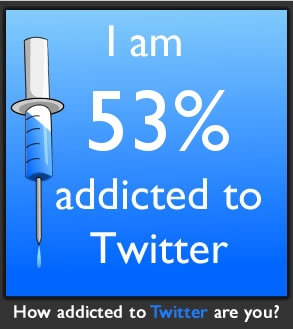
Created by Oatmeal
It is perhaps indicative of my addiction (how bad is 53%, btw — I mean, if I was 53% addicted to heroin, would that be good or bad?) that most of the questions I could tell were going to bump up the score didn’t seem all that ridiculous or shameful to me.
New machine: Firefox configuration

One of the questions I have to ask myself about my new work machine is, what browser do I want to run on it?
Ha ha ha ha ha ha haha ha ha hah ha! (sniff) Wow, I do make a funny now and again.
No, honestly, I’ll be putting on Firefox. Even though the company is (slowly, maybe, sometime soon) shifting from IE6 to IE8, at most I’ll be doing tha conversion with IE and continuing to use it on apps that only work in IE (our shiny new performance assessment tool, alas, being one of them).
I continue to play with Chrome — I use my office Gmail in it — but it’s only just started officially supporting extensions. I’ll give it a nod below.
So, Job 1 will be installing Firefox. And what extensions will I be using? Here’s what I currently have (courtesy of Extension List Dumper, my comments [in brackets]):
Application: Firefox 3.5.7 (20091221164558)
Operating System: WINNT (x86-msvc)
January 29, 2010
- Adblock Plus 1.1.3
Ads were yesterday! [Sine qua non!]
- Add Bookmark Here 3.0
Add bookmark here in bookmarks menu [A small but helpful convenience.]
- AI Roboform Toolbar for Firefox 6.9.95
(Disabled)
Allows the use of Roboform in Firefox.
[I used to use Roboform for password control, but now use Lastpass. The extension will not cross over.] - Clippings 3.1
Save frequently-entered text for pasting later. [Handy for clips to use in blogging, e.g., review templates, frequently used pictures …]
- ColorZilla 2.0.2.1
Advanced Eyedropper, ColorPicker, Page Zoomer and other colorful goodies
[I might or might not. I use it once in a blue moon. But it’s damned handy when I need it.] - DownThemAll! 1.1.8
The mass downloader for Firefox. [A handy widget that allows easier download of lots of files.]
- Echofon 1.9.4.1
This extension lets you know twitter statuses.
[I’m using Brizzly now, so I’ll be not bringing this over.] - Extended Copy Menu 1.6
Provides the option to copy selection as plain text or html. [Extraordinarily handy, for blogging and email.]
- Extension List Dumper 1.14.4
Dumps a list of the installed extensions. [Producing this listing.]
- FireFTP 1.0.7
FTP Client for Mozilla Firefox. [My preferred FTP client.]
- Flagfox 3.3.20
Displays a flag depicting the location of the current server
[Which is sometimes interesting, but not interesting enough.] - Flashblock 1.5.11.2
Replaces Flash objects with a button you can click to view them. [Huzzah! Annoying for Flash you want to see, but invaluable for Flash ads you don’t.]
- Forecastfox 0.9.10.1
Get international weather forecasts and display it in any toolbar or statusbar with this highly customizable extension. [How else to tell at a glance if I should wear my jacket at lunch?]
- IE View Lite 1.3.5
Cut down version of IE View by Paul Roub.
[Lets you route an IE-only site you stumble across over to IE. I’m not really using this these days.] - ImgTag 0.3.4
Generates
tags [Great for generating an IMG tag off of an image. I use this in blogging a fair amont.]
- Java Console 6.0.01
- Java Console 6.0.11
- Java Console 6.0.13
- Java Console 6.0.14
- Java Quick Starter 1.0
- LastPass 1.64.4
Last Password you will ever need [My multi-platform password manager.]
- Make Link 9.11
Make HTML, ForumCode, or other links from the context menu [Handy for blogging.]
- Page Speed 1.5.0.3
Speed up your web pages with this performance diagnostics tool. Requires Firebug.
[No, haven’t really used it.] - Perspectives 3.0.3
Securely bypasses Firefox HTTPS security
errors by verifying certificates using a collection of
Network Notaries. See http://www.cs.cmu.edu/~perspectives/[I rarely get warnings from it, and those are usually spurious. Hmmm. Might do some quick research before I bring it over to see if it’s still useful.] - Resizeable Textarea 0.1d
Resize textareas to your needs. [Occasionally invaluable.]
- Skype extension for Firefox 2.2.0.102
(Disabled)
Skype extension for Firefox
[Autoinstalled with Skype, alas.] - Tab Mix Plus 0.3.7.4pre.090516
Tab browsing with an added boost. [Enhances the FF tab browsing options. Definitely.]
- Xmarks 3.4.6
Bookmark Sync and Web Discovery [This now syncs my bookmarks between FF and Chrome, and accross my machine. I don’t use any of the discovery tools, just this. Excellent.]
So … once I have a few minutes to start in on this, that’s probably where we’ll start.