https://buy-zithromax.online buy kamagra usa https://antibiotics.top buy stromectol online https://deutschland-doxycycline.com https://ivermectin-apotheke.com kaufen cialis https://2-pharmaceuticals.com buy antibiotics online Online Pharmacy vermectin apotheke buy stromectol europe buy zithromax online https://kaufen-cialis.com levitra usa https://stromectol-apotheke.com buy doxycycline online https://buy-ivermectin.online https://stromectol-europe.com stromectol apotheke https://buyamoxil24x7.online deutschland doxycycline https://buy-stromectol.online https://doxycycline365.online https://levitra-usa.com buy ivermectin online buy amoxil online https://buykamagrausa.net

Resetting an iPod

Recorded here so that I can find it in the future. We have an iPod Classic 80Gb, and it’s not uncommon for the eject sequence to not quite work from…

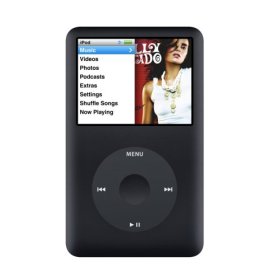
Recorded here so that I can find it in the future. We have an iPod Classic 80Gb, and it’s not uncommon for the eject sequence to not quite work from iTunes or the PC, resulting in a perpetual “Do not disconnect” message.

I’m told this works on more than just our model.

  1. Make sure the iPod switch is not on Hold.
  2. Hold the Select and Menu buttons down for 4-5 (or maybe 10) seconds.

Voila. Reboot.

More info, and for other models.

95 view(s)  

Leave a Reply

Your email address will not be published. Required fields are marked *