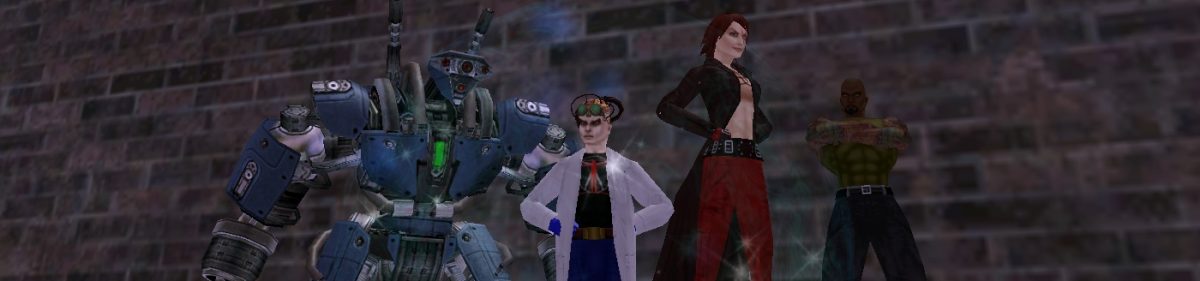
Lengthy list of changes the devs are reporting in Issue 4 — lots of Arena details, lots of power, enhancement, and AT changes. The Resolve vs Break Free Inspirations have been combined, lots more chance for blaster powers of all sorts to knock down toggles, other spiffy things.
Interesting new “click to move” optional setting (default off, but with an optional shift-key to turn it on while depressed): click on something to move to it; double-click to move and interact with it.
And lots of comments about (a) how their hero is going to kick butt, (b) how their hero is now useless, (c) how they need to majorly respecc their hero but have no idea exactly how, and (d) how spiffy it all is.
Category: Resources & Rules
More Issue 4 features
A report from someone playing with Issue 4 features on the Test server. Some interesting stuff, including this bit:
New Team Search features. Now when you search for teams or what to be on the list you have options. For those who want to be on seek team you can designate what you are looking to do (e.i. TF, Trial, Missions, Street Sweep, or whatever). You can also add some comment about yourself. You could list that you are an emp healer or reliable teammate. If you are looking for a team member you can search by the criteria of what you are doing and then search away.
Not that a lot of the more annoying people make good use of the search feature anyway, but it’s nice to have that intelligence built in. I hope you can specify an “any” or multiple optoins of what you’re looking for.
It’s also nice to be able to specify (or search for) more specific info. Nothing like getting a Defender to heal the group, only to find out that they don’t actually heal, just debuff or bubble (or vice-versa) …
Looking forward to it.
Ask Statesman
The latest issue of the “Ask Statesman” news is out.
Biggest (or at least most locally-questioned) bit is:
Once the body slider/face slider changes go live with issue 4, will we be able to change our body/face at Icon or will our current characters be ‘locked in’ to our existing body?
You’ll be able to change your avatars at Icon.
Mildly disappointing (that we have to go to Icon to do it, with, presumably, the associated costs), but not surprising. Actually, if Icon allows changes in body type as well, that’s probably better than I suspected we were going to get.
There’s also this:
What do you think are the most important lessons you’ve learned from City of Heroes, and how are you applying them to City of Villains?
First, make every zone dynamic. In other words, make them come alive. We accomplished this quite well with Striga; that zone provides a new standard for us. Secondly, communicate the story better. We?ll have some new technology in City of Villains that will allow players to see the plotlines in a cool new way. Thirdly, give players what they want. We have a much better understanding of what makes Archetypes and powers cool. Lastly, make missions feel unique. One of the earliest criticisms was that our missions were repetitive. Now we’ve got over a year?s worth of new tech and art to use as we write the City of Villains missions from scratch.
Actually, it sounds like some CoV lessons might make their way back to CoH.
Which raises an interesting question (to me, anyway): will CoV make the gameplay better on CoH? In terms of (more specifically) folks who are “I like CoH because I like to smash things and run around in an undisciplined fashion and cause chaos” more likely to migrate to CoV? Just a thought. Granted, there are other reasons to go to CoV, too, both for the tech changes listed above, and as a different sort of play style and RP possibility. But I have this gut feel as well (or maybe just prejudice) that some of the less desirable (to me) sorts in CoH might shift over to CoV because … well … I don’t want to call them “evil” or “villains,” but … well … because they’re anti-social undesirables.
Just a thought.
Fashion design
Pretty new costume bits are being previewed here. Nice, particularly (for folks who like the “civilian” look) the jacket (will we get back logos, too?). The question, of course, is whether we’ll be able to respec costumes with the new features or not (I suspect not, just logistically), but it’s good stuff nonetheless.
You say you want a resolution?
The backlight on my notebook went out yesterday (again), and so I had to find a spare monitor from a vacant cube and plug it in at work.
All was fine until I got home. We have a couple of old 14″ monitors upstairs, and I brought one in and plugged it into the notebook as I started it up.
Nada. Well, the “signal” light on the monitor turned green, but it wasn’t —
— oh. Resolution. Frelling thing doesn’t take the high-res squinty settings I usually keep my desktop at (sure, it makes stuff harder to see, but it makes so much stuff hard to see!).
Of course, it’s hard to boot up a machine and change the resolution — when you have no screen to see by (unless you know the keystrokes for Safe Mode by heart). Fortunately, the actual LCD isn’t dead, just the backlighting. So if I shine a flashlight straight at the dark screen, I can just see the windows and so forth (akin to using a match to light up a crowded room, in the dark, full of smoke). Doing that, I was able to go into Display Preferences and turn the res down to 1024×768.
I didn’t even think that it would be a problem in CoH. Ha. Yes. Yes, it was. And it was a real pain trying to get back to the “Windows” mode of visibility once I went into CoH and was confronted with another blank screen. Hrm.
There may be a way to manually tweak the resolution down outside of CoH, or pass along a command-line string to the program, but I couldn’t find it. What I did find was a program called TweakCOH, which gives you a nice windows interface to the Options screen outside of the program. With that, it was a piece of cake to lower the CoH res to 1024×768.
Which sucks as a res, given the real estate taken up by various subwindows in CoH (which I’m now used to having up), but it’s better than (literally) nothing.
I recommend TweakCOH as a standard download for any CoH user. It doesn’t do a lot, but what it does it does well, and there’s nothing else obvious to do it with.
Experience, teams, and thou
From the most recent Statesman interview (formatting and [annotations] by me), some good basic info on experience and teams and SKs and Exemplars:
Question: Could you give a complete overview of how experience is awarded when in a team? How does the level of the team members affect the xp earned and how it is split between players? What effect does Sidekicking or Exemplaring have? Is there a group bonus, and does it change based on the size of the group? (Apparently much of this has been explained in dev posts on the US boards, but as these are no longer available, new European players like me would really appreciate the info.)
Answer:
On the top level, XP is divided by damage done. If two heroes both attack and defeat a single mob, each hero is given XP proportionate to the amount of damage received by the mob.
Within a team-up, XP is divided equally among each member, but levels are taken into account. So if a 35th level Blaster teams up with a 32nd level Tanker, the 35th level Blaster would receive proportionately more XP (on the assumption that the higher level character contributed more to the conflict).
When two or more different groups of heroes attack the same mob, the damage of each group is added up and used to divide the mob’s XP.
For every person in a team up, there is an XP boost. The experience points of each mob are multiplied by a value before being divided among the team members. Currently, the XP boost values are this:
Team Size – XP multiplier
2 – x1.25
3 – x1.5
4 – x1.8
5 – x2
6 – x2.1
7 – x2.2
8 – x2.5
[So team-ups divide the experience from a mob, though there’s a slight compensating multiplier shown above and certain tiers of team size will increase the overall numbers of mobs, and, thus, aggregate XP. Still, the truism that the smaller the group the better the XP, dying-horribly-and-taking-debt aside, is true.]
Sidekicking allows players to play at a level higher than their actual Security Level. While Sidekicked, a hero is considered to be at this higher level for XP division. But the hero receives XP depending upon the relatively levels of the mobs he faces. Example: my 15th level Scrapper is sidekicked to a 28th level Controller. For purposes of combat, my Scrapper is now 27th level. If I went out and fought 29th level minions, their XP would be calculated as if they were 17th level minions.
[Thus, the SK doesn’t get XP as though defeating folks 14 levels higher, just 2 levels higher.]
One thing to keep in mind is that as a sidekick, a hero is counted as a full high-level hero when doling out rewards even though he doesn’t have as many powers as a natural hero would. So the risk for the mentor (and teammates) is slightly higher but they get the same reward. If you are within 3-5 levels of your buddy you might want to think about being a regular teammate and not a sidekick: the rewards might be better. This will depend on the villains you are fighting, your aversion to risk, and the composition of your team.
While Exemplaring, a hero receives XP in a similar way. The hero’s actual level is brought down to that of the Aspirant. The Exemplar takes XP from mobs depending the relation of the Exemplar level and the mob level. Example: A 45th level Defender is Exemplarred down to 29th level. He fights a 30th level Minion. The Defender earns XP as though it were a 46th level minion. However, an Exemplar does not gain XP; anything earned is applied exclusively to XP debt.
(via CoH LJ)
The sound of silence
I never … I mean never … get any useful info from the Broadcast channel. Local, Team, Tell, Friends, Supergroup … all of those are useful. But all Broadcast seems to be good for is “Sumbody PL Lvl 10 Blster to 20 plz? 50K infl!” sorts of things.
I ran across across a reference in passing to turning the Broadcast channel off, but I can’t actually find a command for doing it (and, for obvious reasons, don’t want to do a “/broadcast off” or “/broadcast 0” without knowing that’s the actual command). The one additional reference I found said it was “incredibly simple,” so they didn’t mention it.
Okay, call me incredibly simple, too, but … any clues?
It’s not that I find the Broadcast channel offensive or irksome in and of itself, but any of the useful (usually Local or Friend or Tell) messages in the default window end up scrolling off too fast because of the idle chatter.
Issue 4 Video
To my eye, the biggest challenge to the planned Player-vs-Player CoH Arena is actually being able to see what the heck is going on. Think it’s difficult with a group of Invisible Heroes with Bubbles and various glowing Auras in a Shadowy Setting? Try it with two groups, with various power FX going off around you …
I honestly don’t have much interest in the PvP stuff, at least as a loner. I prefer coop play, myself. Though, to that end, if a group I knew was going in on something, I might be willing to lend a hand. We’ll have to see.
(via Doyce)
Global Chat
Margie and I have both signed up for the Global Chat (beta) on CoH, with the following handles:
| Me: | @Three-Star Dave |
| Margie: | @Kazima |
When signed into Global Chat (“/chatbeta 1” in each login session), you can set up a list of friends by their player “handles” (always starting with a “@”). If one of those friends is online, the global friends list will show what character they are playing (incl. archetype, level, team size) and where (map). Spiffy — no need to maintain a humongous alt list for each friend.
The official instructions for Global Chat can be found here. See you in Paragon!
Stamina prerequisites in City of Heroes
Since I’ve been looking at Stamina for … well, for practically every character I have … something I missed in my reading:
Stamina requires two other powers from the Fitness pool (Swift, Hurdle, Health) as a prerequisite, and cannot be taken until level 20.
Knew about the level req, but not about the other pre-reqs. That’s annoying.
CoH – Issue 4
I find it amusing that CoH refers to its upgrades as “Issues.”
Here’s an interview on Issue 4, which focuses on PvP (Player vs. Player) action. Want to fight other PCs? Sign up at the arena. Not something I anticipate doing, but I know it’s been a huge demand of some folk.
The other Issue 4 changes are fairly minor, though there are more costume features:
Costume pieces! Lots and lots of new costume pieces. These are mostly inspired from the world of manga and anime, but I think everyone will enjoy these new options. And we?re adding specific sliders for various body parts. Players will be able to adjust the size of their shoulders, arms, legs and even their foreheads!
Spiffy. Costuming is one of the best features in CoH, and this should help even further.
City of Heroes – Linky Goodness
Various CoH articles I’ve bookmarked. Note that some articles may be found at multiple sites.
General sites
- City of Heroes Boards
- City of Heroes Vault
- City of Heroes WarCry
- City of Heroes Stratics
- Guide to Guides – Great list of guides and FAQs and other info out ther.e Excellent place to start reading.
- RandomWiki CoH Home Page
Specific pages
- Little Things I Wish I’d Known (MikesMind) – Great collection of tidbits and trivia and bits of info. 100+ pages, printed, and worth a read.
- Influence and Low Security Heroes (Thericia) – Good advice (echoed by Doyce on how to (not) spend Influence as a low-level character. But it’s so haaaaarrrddd ….
- Guide to Power Sets (HellsEmbrace) – Useful guide to “what to get, what to skip,” though it lacks some changes in Issue 3. As with all such power guides, treat it as One Person’s Hopefully Informed Opinion; I find powerset debates akin, sometimes, to Mac-vs-Windows and IE-vs-Firefox types of thangs.
- The Complete Idiot’s Survival Guide (SunderX, Powervolt) – Lots of great info on “How To Manage Aggro, Knock-back and Grouping,” so as not to end up dead, dead, dead.
- Pulling Singles (SomeLameDude) – Similarly good summary of how to gain aggro, and how to use it.
- New Player’s Guide to a Post-Winter Lord World (Amberyl) – Good general play info, with valuable links inside.
- Villains and Zones Master Chart (Mapmaster255) – Excellent (but, alas, unprintable) list of zones, neighborhoods, and what sort of beasties can be found (of what level) in each.
- Stark’s Leveling Guide (.Stark.) – Good, concise list of places to hunt at different levels.
- Guide to Understanding Enhancements (GD) – Includes good store location maps.
I have several others I need to add to the above list, but I didn’t bookmark them, just printed them out. Later …
City of Costumes
One of the coolest things about CoH is being able to design your own character’s appearance. The character editor is wonderful — indeed, it begs for copyright/trademark abuse just because you can do so many classic characters with it. But it’s so wonderful that the places where it doesn’t quite work are all the more irritating. Things that are missing:
- Huge Females: You can be Female, Male, or Huge. The Huge characters are actually Huge Male characters (judging from the lack of mammaries), which makes hulking female characters difficult to do — you simply end up being beefy-but-statuesque.
- Kids: Kids (and teens) are not simply short adults — except that’s really the only option you have. Inspired by a classic side-kick? Sorry, old chum.
- Just Plain Folk: Every Male is cut. Every female is highly-bazongaed (as Jade points out). Want someone not quite as heroic in stature? You’re out of luck, except to the extent that a costume (e.g., the business suit) may drape those bulging pecs.
- Civvies: You can make pretty much every kind of costume you can imagine from the classic spandex set — but only from the classic spandex set. Try to go for more ordinary clothes — a baggy sweatshirt, or an untucked tee, or something like that — and the choices are much more limited. Granted, that’s part of the whole Silver Age vibe of Paragon City (and it’s amusing, when I’m in the sports-jacketed Psi-clone how many supers come by to “rescue” me as if I were a civilian), but a lot of comic book costuming since, say, 1985, has been much more casual, streetwear sorts of stuff. I mean, you can do some of that — a business suit, jeans, a tank top or form-fitting T — but it’s still a lot more limited compared to the cornucopia of other uniform effects.
So, for example, K-Two has cargo pants and a black t-shirt, which isn’t bad, except that the shirt looks more like a wetsuit top. Sister Chinook has as close to a sweatshirt as I could manage, which wasn’t very close. - Accoutrements: The game lacked capes when it was first issued (and even now they’re a lot more limited, though there’s good game-story reasons). I’m sure it’s because they add a lot of complexity to rendering, and that’s probably why two other obvious heroic accoutrements — jet packs and wings — are also missing, along with some of the specialized weaponry and gimmicks of the comic world — Cap’s shield and the Silver Surfer’s board and Gambit’s staff are good examples.
For that matter, weaponry other than guns, axes, swords and katanas is missing. It’s a bit goofy that the bad guys can go after you with baseball bats, and the cops flip around night sticks, but you can’t have either of them. - Chest logos: Okay, there are a zillion of them, but wouldn’t it be cool if you could submit designs yourself (requiring human vetting, natch). Or if NCSoft approached some organizations (sports teams and colleges come to mind) to see if some of those logos could enter the game? Heck, even if they had to charge, I’m sure there are plenty of sports buffs and alumni that would pony over to have their favorite team’s logo on their hero.
The game could use a bit more flexibility with how the chest logos can be placed. Each top has defined for it the size and placement, which can vary dramatically. In some cases this makes sense — for the business suit, the chest logo becomes a small blazer patch on the left breast above the pocket. In other cases, though, it doesn’t Dealing with women’s breasts seems to be a particular problem, as at least some top designs shrink the logo and place it just under the neck (e.g., Sister Chinook’s maple leaf). It would be great if you could set, as a “detail,” both the logo size (small, large) and its placement (either breast, centered, high, bicep).
Finally, you can put letters and numbers, but how about short words? Athletic department shirts, for example. Or a character name or trademark (“Fair Play!”). You could, if you want, enforce the obscenity filter, and I’m sure some folks would be “inappropriate” anyway, but I think those things could be worked around.
None of these are deal-killers by any means, of course. More of a wish list, along with the ability to make a (subtle, perhaps) costume change each or every other level.
Now I know I’m getting into serious gaming …
So Margie got all of City of Heroes and its related patches in and …
… got all sorts of errors about how her video card didn’t support functions X, Y, and Z, meaning she was S, O, and L.
Downloaded the latest driver, which took care of Y and Z (and thus O and L), but didn’t do much for X (and thus S).
Hrm.
So she called me, and I ducked over to Best Buy, the Insidiously Convenient Tech Store Near the Office.
Now, I’ve intentionally stayed away from the whole video card thing, which tends to be focused on gaming fanatics who spend zillions of dollars to get stuff with the highest frame-rate-pixel-DDR-mega-buffer-socket bits and argue over it with a ferocious take-no-prisoners passion usually reserved for theologians and talk show pundits.
Eek.
So I really haven’t dealt with anything having to do with video cards since it was my job to crack open cases at the office and put in dual-head video for the CAD stations. So it was with some trepidation that I approached the video card aisle.
That I approached it “backwards” and started with the expensive $350-500 cards didn’t allay my fears.
I’d picked up a CoH box, so I had the minimum and recommended video configurations. And, of course, I didn’t see any thing that exactly matched.
And so I was reduced to seeking help from one of the passing BB Guys, who, frankly, didn’t seem to know a huge amount more than I did (though he knew enough to point out that, yes, one of the cards on the list was up on the shelf).
And then came the question — did Margie’s Sony Vaio computer have an AGP socket? Or did I need a PCI card?
Well … crap.
(Ponder, ponder, ponder.)
Ended up going with a different card than BB Dude recommended — a PNY nVidia GeForce FX5700LE. I went with AGP because, if the Vaio had it, then I wanted to use that, rather than the PCI. And I could always return it, right?
Got back to the office. First off — what Vaio model do we have. Hrm. No reference to it in the blog. Rats. …
… and then I found a reference to the reference page for the Vaio at Sony’s site — for our model: PCV-RX360DS. Where, in turn, I found a completely worthless Users Guide … and some marketing info that shows … yes … an AGP slot!
(And, yes, though a PIII/866 is close to the minimum specs for CoH, it’s still a scosh above that, and the 512Mb RAM should help … and the GeForce FX5700LE is above the recommended spec just a scosh.
Now, as long as it’s the right kind of AGP slot, I should be relatively home free. (He said, with great optimism.) Though, to be sure, the minimum specs include using (!) a 56k modem. Gads. It looks like it should be, though — found one ref to this Vaio having a 4X AGP slot, and the FX5700LE is referred to as being 4X/8X.
Hmmm. Looks like someone has gone through this (or close enough), but didn’t leave much info. This thread on the other hand seems to be full of people who seem quite certain of what the correct course is when dealing with going from onboard video to a video card … not all of which courses are the same. The Sony site seems to indicate for my model that it should autodetect the video card going into the AGP card, which would be the ideal, for sure …
We shall see. We’re having dinner out so we can go a Kindergarten orientation at Katherine’s pre-school tonight, so I’ll have to screw around with this after we get home. Crossing fingers …
(Now I remember again why I’ve usually avoided the whole video card thing …)
UPDATE: And the card is pretty, and has heat sinks a-plenty, and a fan. On the bright side, this should also resolve a problem that Margie was having with another game (SimRestaurant or something like that) she got a while back. Not that she’ll ever want to play another game …
C: vs D:
Margie’s hard drive at home is divided between C: and D:. Everything, of course, is installed on C:, and copying over a 900Mb CoH installation Zip file probably didn’t help things any. So the question came up of how to easily shift things between C: and D: without un/reinstalling various applications (bleah).
The three ideas (here described for WinXP Pro) came to mind. Best to have all apps closed during this:
- Do a Disk Cleanup. This is in the Start menu under Accessories / System Tools / Disk Cleanup. If there’s old installation files, unused temp files, etc., lurking around out there, this is the place to easily clean them up. Doing a defrag afterwards wouldn’t be out of place. (Margie had already done this.)
- Move the swap file over. Under Control Panel / System / Advanced / (Performance) Settings / Advanced / (Virtual Memory) Change. Use this screen to add a paging space on D: and eliminate or minimize the paging space on C:. There may be restarts involved, or multiple iterations to do so (hard to tell, since it turned out that this had already been done on her machine during a previous space crunch; I took advantage to add a large custom size to support upcoming CoH play). (Official MS KB article here.)
- Move My Documents over to another drive. Right-click My Documents (off the desktop or the Start menu), then choose Properties / Target. That will show you the current target folder set for your account as the My Documents folder. Click Move …, then choose where you want it to be (e.g., in D:\, creating a new folder called My Documents there). Accept, and Windows will ask if you want to move the contents over there, too. Yup, you probably do. (More info here and here.)
FYI.
In theory, you could some (or, more easily, all) the applications under C:\Program Files to D:\ by doing the move and then tweaking the registry, but, damn, that sounds like asking for trouble.